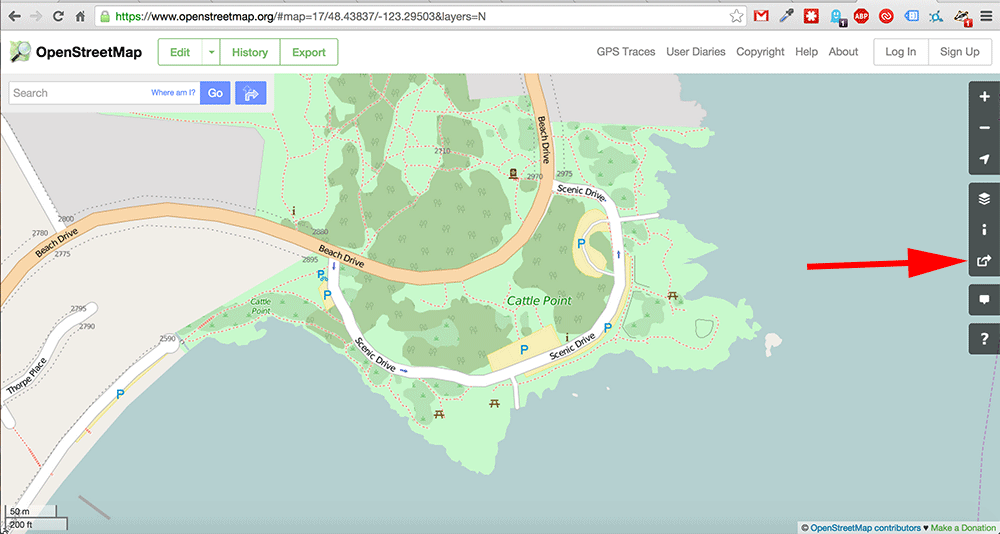
2. Click the Share Icon
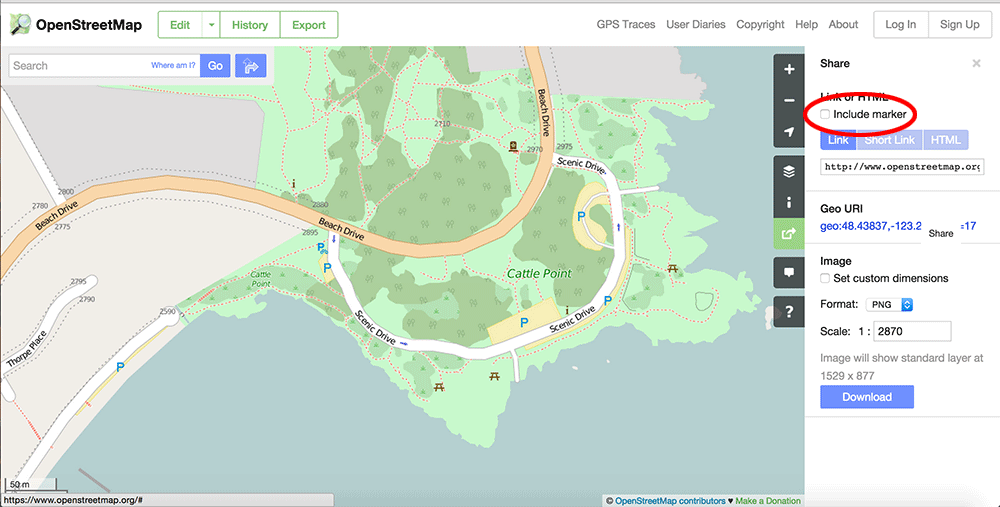
3. Check the "Include Marker" box.
4. Drag the marker to the meeting location
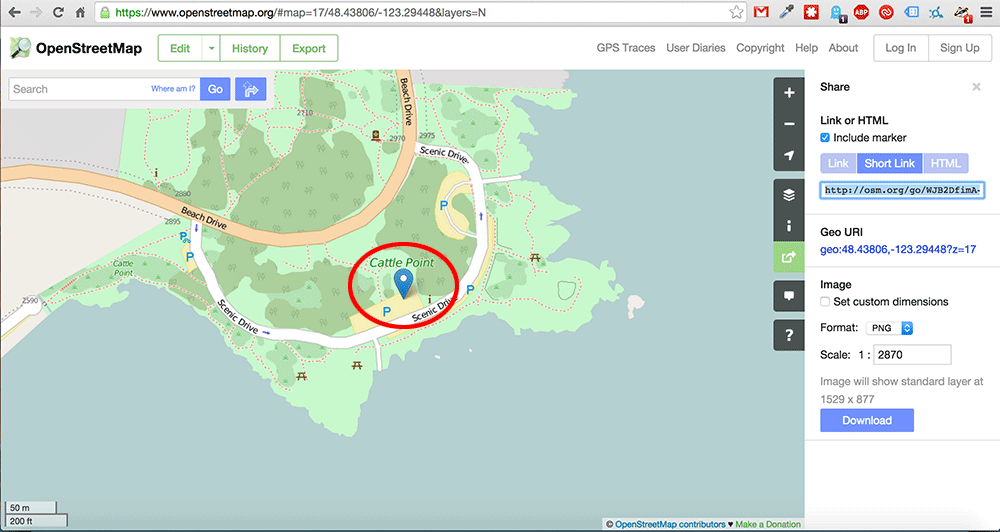
[Optional] : Click the Short Link button to get a shorter link
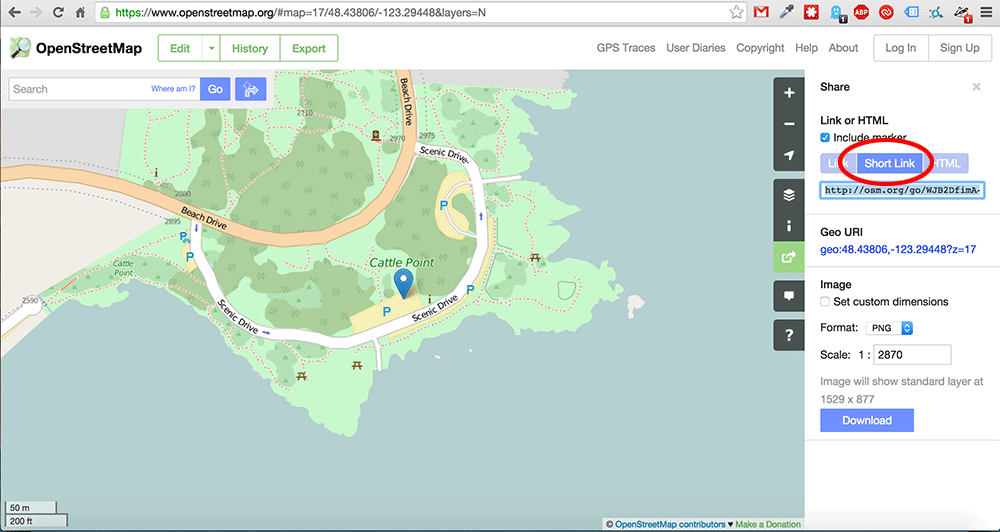
Copy and Paste the link (http://osm.org/go/WJB2DfoGT--?layers=N&relation=2221062) and do with it as you please. Anyone you give the link to will be taken to the exact map you created including the marker!